Social media image sizes cheat sheet for every major platform
Recommended image sizes and aspect ratios for Instagram, Facebook, LinkedIn, X, YouTube, Pinterest and TikTok, checked on official pages in November 2026.
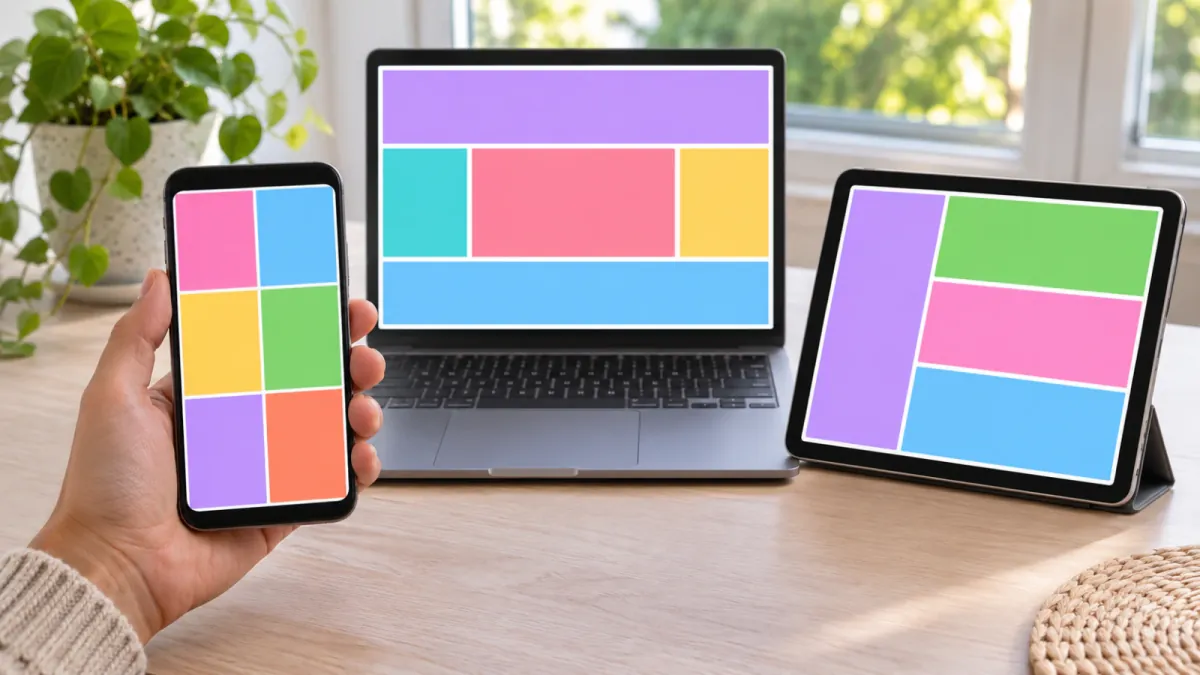
Three aspect ratios cover most social feed and story placements: 1:1 (square), 4:5 (portrait) and 9:16 (full-screen vertical). Add 1.91:1 for link previews and 16:9 for YouTube, and five shapes handle nearly everything except Pinterest's 2:3 pin and the one-off profile headers. The table below gives the recommended pixels for each major platform, and every figure comes from the platform's own help page, checked in November 2026.
The three-ratio claim is the platforms' own. Meta's Business Help Center says Feed placements support 1:1 and 4:5, and recommends 9:16 for Stories and Reels. LinkedIn's single image ad specification lists 1.91:1, 1:1 and 4:5, X lists all five shapes, and TikTok recommends 9:16.
Social media image sizes by platform and placement
"Recommended" here means the platform uses that word or lists the size as its design recommendation. Where a platform gives only a minimum or a range, the table says so.
| Platform and placement | Recommended size in pixels | Aspect ratio | Limits and notes |
|---|---|---|---|
| Instagram feed photo | 1080 wide, 566 to 1440 tall | 1.91:1 to 3:4 | Kept at up to 1080 wide; other ratios are cropped |
| Instagram feed image ad | 1440 × 1800 | 4:5 | Minimum width 500; ratios from 1.91:1 to 4:5; JPG or PNG up to 30 MB |
| Instagram Stories or Reels image ad | 1440 × 2560 | 9:16 | Minimum width 500; safe zone applies |
| Facebook feed image ad | 1440 × 1800 | 4:5 | Minimum 600 wide and 750 tall; up to 30 MB |
| Facebook Stories image ad | 1440 × 2560 | 9:16 | Minimum width 500; safe zone applies |
| Facebook Page profile picture | 320 × 320 | 1:1 | Cropped to a circle |
| Facebook Page cover photo | 851 × 315 | Varies by device | At least 400 × 150; a JPG under 100 KB loads fastest |
| Facebook link share image | 1200 × 630 or larger | 1.91:1 | 600 × 315 minimum for the large layout; up to 8 MB |
| LinkedIn single image ad, landscape | 1200 × 628 | 1.91:1 | Minimum 640 × 360; up to 5 MB |
| LinkedIn single image ad, square | 1200 × 1200 | 1:1 | Minimum 360 × 360 |
| LinkedIn single image ad, vertical | 720 × 900 | 4:5 | Minimum 360 × 640; paid vertical images serve on mobile only |
| LinkedIn Page post with a link | 1200 × 627 | 1.91:1 | Must be more than 200 wide |
| LinkedIn Page logo | 400 × 400 | 1:1 | Minimum 268 × 268 |
| LinkedIn Page cover image | 1512 × 256 | Not stated | PNG or JPEG up to 3 MB |
| LinkedIn profile cover image | 1584 × 396 | 4:1 | JPG or PNG under 8 MB |
| X standalone image ad | 1200 × 1200 or 1200 × 628 | 1:1 or 1.91:1 | PNG or JPEG up to 5 MB |
| X image ad, other supported shapes | 1440 × 1800, 1080 × 1620, 1920 × 1080, 1080 × 1920 | 4:5, 2:3, 16:9, 9:16 | Listed by X as supported ratios |
| X profile photo | 400 × 400 | 1:1 | JPEG, GIF or PNG up to 2 MB |
| X header image | 1500 × 500 | 3:1 | Up to 60 pixels may be cropped top and bottom |
| YouTube video thumbnail | 3840 × 2160 | 16:9 | Minimum width 640; 2 MB from mobile, 50 MB from desktop |
| YouTube Shorts thumbnail | 2160 × 3840 | 9:16 | Minimum height 640 |
| YouTube channel banner | 2560 × 1440 | 16:9 | Minimum 2048 × 1152; safe area 1235 × 338; up to 6 MB |
| YouTube profile picture | Renders at 98 × 98 | 1:1 | Up to 15 MB |
| Pinterest standard pin | 1000 × 1500 | 2:3 | PNG or JPEG; 20 MB on desktop, 32 MB in the app |
| Pinterest profile cover | At least 800 × 450 | 16:9 | Business accounts only |
| TikTok in-feed video ad, vertical | At least 540 × 960 | 9:16 | The recommended shape; TikTok states a minimum, not a target size |
| TikTok in-feed video ad, other shapes | At least 640 × 640 or 960 × 540 | 1:1 or 16:9 | Files up to 500 MB |
| TikTok ad profile photo | 98 × 98 | 1:1 | Under 50 KB |
Two gaps are worth naming. The pages we opened give no pixel size for ordinary Facebook feed posts or for ordinary posts on X. In both cases the ad sizes are the best official guide available.
Instagram and Facebook
For ordinary Instagram photos, the Instagram Help Center says uploads are kept at up to 1080 pixels wide when the aspect ratio falls between 1.91:1 and 3:4. At 1080 wide, that means a height between 566 and 1440 pixels. Anything outside the range is cropped to a supported ratio, and anything wider is sized down to 1080.
For ads, Meta's Ads Guide recommends 4:5 at 1440 × 1800 for both Facebook Feed and Instagram Feed, and 9:16 at 1440 × 2560 for Stories and Reels. There is one wrinkle. Meta's Business Help Center recommends 4:5 for single-image ads in Facebook Feed but 1:1 for Instagram Feed, while the Ads Guide lists 4:5 for both. Either shape is accepted, so choose by how much of the screen you want.
Full-screen placements have a safe zone. Meta suggests leaving roughly the top 14%, the bottom 35% and 6% on each side of a 9:16 image free of text and logos, so the profile icon and call to action do not sit on top of them. On a 1440 × 2560 image, that is about 358 pixels at the top, 896 at the bottom and 86 on each side. If a Reels ad carries a disclaimer, Meta says to keep the bottom 40% clear.
Facebook Page cover photos are the awkward one. Facebook says the cover must be at least 400 × 150, loads fastest as an sRGB JPG of 851 × 315 under 100 KB, and is displayed in different shapes on computers and phones. The left side is partly covered by the profile picture, so keep the important content away from it.
LinkedIn single image ads accept JPG, PNG or GIF files of up to 5 MB in the three shapes shown in the table. LinkedIn recommends vertical 4:5 images, but notes that paid vertical images are served on mobile devices only. Taller 1:1.91 images are still accepted and get borders added at the sides. Images less than 401 pixels wide are shown as thumbnails.
For a company Page, the logo is 400 × 400 and the cover image 1512 × 256. LinkedIn warns that the cover may be trimmed on different screens and advises keeping key details away from the edges, especially the lower-right corner. A personal profile cover image is a different size, 1584 × 396.
X
For a standalone image ad, X recommends 1200 × 1200 for 1:1 and 1200 × 628 for 1.91:1, as a PNG or JPEG of no more than 5 MB. Image ads with a website card use 800 × 418 or 800 × 800. X also lists 4:5 and 2:3 as newly supported shapes, alongside 16:9 and 9:16. A GIF uploaded as an image ad is shown as a static image.
Profiles take a 400 × 400 photo and a 1500 × 500 header. X warns that 60 pixels at the top and bottom of the header could be cropped on some screens, which leaves a dependable band about 380 pixels tall.
YouTube
Video thumbnails are 16:9. YouTube's current recommendation is 3840 × 2160, with a minimum width of 640 pixels, in JPG or PNG. The upload limit depends on the device: 2 MB from a phone and 50 MB from a computer. Shorts thumbnails are 9:16 at 2160 × 3840.
The channel banner is one image shown differently on computers, phones and televisions. The minimum upload is 2048 × 1152, the recommended size is 2560 × 1440, and the file must be 6 MB or smaller. At the minimum size, text and logos belong inside a 1235 × 338 safe area, which is about 60% of the width and under 30% of the height. The rest is scenery.
Pinterest recommends a 2:3 aspect ratio, or 1000 × 1500 pixels, for a standard pin, and warns that pins beyond that ratio might be cut off in people's feeds. Carousels use 1:1 or 2:3. Pinterest converts every upload to an 8-bit RGB JPEG and suggests uploading PNG files in sRGB to avoid losing quality. A business profile cover must be at least 800 × 450, and a horizontal 16:9 image is recommended.
TikTok
TikTok is video first. Its in-feed ad specification names 9:16 as the recommended shape with a minimum of 540 × 960, and also accepts 1:1 and 16:9. It gives minimums, not a recommended pixel size.
The safe zone depends on the shape and the caption length, so TikTok supplies downloadable templates, including a separate right-to-left set for the Arabic region. If you publish in Arabic, our guide to right-to-left banner design explains what else flips. TikTok's Carousel Ads do use still images, but the help page we could open does not list their pixel sizes, so we have left them out.
Aspect ratio versus pixel size
Getting the shape right matters more than hitting an exact pixel count. Platforms rescale a correctly shaped image without fuss. When the shape is wrong, they crop it or pad it.
The official pages say so in different ways. Instagram sizes a large photo down to 1080 wide but crops an unsupported ratio. LinkedIn adds borders to the wrong vertical shape, and Pinterest may cut off a pin that goes beyond 2:3. Meta's Ads Guide allows a tolerance of only 1% to 3% on the aspect ratio.
To check a shape, divide the width by the height. For 1080 × 1350 the result is 0.8, and 4 divided by 5 is also 0.8, so the image is 4:5.
A 1440 × 1800 image gives 0.8 as well. It is the same shape, so a platform can scale between the two without cropping. A 1080 × 1080 square in a 9:16 slot cannot be rescued that way.
Pixel size still decides sharpness. Upload at least the recommended size, because a smaller file gets enlarged and goes soft. The file type matters too, and our guide to JPG, PNG or WebP for banners covers that choice.
Link preview images and Open Graph
When someone pastes your URL into a post, the platform builds the preview from Open Graph tags in the page. The Open Graph protocol makes og:image one of four required properties and offers optional width, height and alt text properties. It sets no size. The platforms do.
- Facebook asks for images of at least 1200 × 630 for the best display, and 600 × 315 as the minimum for the larger layout. The smallest image allowed is 200 × 200, the file must not exceed 8 MB, and staying close to 1.91:1 avoids cropping.
- LinkedIn asks for 1200 × 627 at a 1.91:1 ratio and no more than 5 MB.
- X is the gap. The address of its Cards documentation redirected to the developer home page when we checked, so we cannot quote an official figure. Its ad specification uses 1.91:1 for website card images.
Heights of 627, 628 and 630 on a 1200-pixel width are all 1.91:1 once rounded. Make one image at 1200 × 628 or 1200 × 630 and stop worrying about the two pixels.
Make these five and you are covered
- 1080 × 1080 (1:1) for square feed posts and ads.
- 1080 × 1350 (4:5) for portrait feed posts and ads.
- 1080 × 1920 (9:16) for Stories, Reels, Shorts and TikTok.
- 1200 × 628 (1.91:1) for link previews and landscape ads.
- 1920 × 1080 (16:9) for YouTube and landscape video frames.
Each pixel size is the ratio at a size the platforms above accept. Instagram keeps photos at 1080 wide, X lists 1080 × 1080, 1080 × 1920 and 1920 × 1080, and both LinkedIn and X recommend 1200 × 628.
Where a platform recommends more, such as 1440 wide for Meta ads or 3840 × 2160 for YouTube thumbnails, export larger in the same ratio if your artwork allows. Add 1000 × 1500 if you use Pinterest, and treat profile headers as one-off jobs.
Do not make the five by cropping one master image. A layout built for a square loses its headline in a 9:16 crop, so each shape needs its elements rearranged. Our guide on how to resize a banner for every platform shows the method.
All five sizes are presets in BannerTranslate, where you can resize a banner into up to five shapes in one run and have the design recomposed for each one instead of stretched. The results are flat images made by an AI model, not editable layers, so look over every version before you post it. Display advertising uses a different family of shapes, covered in our guide to Google Display ad sizes.
How often sizes change, and how to check
Sizes drift, and the pages show it. X labels two of its ratios as newly supported and TikTok's in-feed specification says it was last updated in June 2026. Any cheat sheet, this one included, has a shelf life.
To confirm a size before a campaign:
- Open the official page from the Sources list below, not a blog post about it.
- Look for a last-updated note near the title.
- Check the aspect ratio first, then the recommended pixels, then the file size limit.
- Upload a test image and view it on a phone before you schedule or pay for anything.
- Write the date you checked into your own size sheet.
If you run the same creative in several languages, add the check to your multilingual campaign workflow so it happens once per campaign, not once per file.
FAQ
What is the best image size for an Instagram post?
Make it 1080 pixels wide. Instagram keeps photos at up to 1080 wide when the ratio is between 1.91:1 and 3:4, so 1080 × 1350 (4:5) and 1080 × 1440 (3:4) both use the most screen. For ads, Meta's Ads Guide recommends 4:5 at 1440 × 1800.
Is the link preview size 1200 × 628 or 1200 × 630?
Both work. Facebook asks for at least 1200 × 630, LinkedIn for 1200 × 627, and LinkedIn and X recommend 1200 × 628 for landscape image ads. All three are a 1.91:1 shape, and the difference of a pixel or three is not visible.
What are the safe zones for Stories and Reels?
For a 9:16 ad, Meta suggests keeping roughly the top 14%, the bottom 35% and 6% on each side free of text and logos. If a Reels ad includes a disclaimer, keep the bottom 40% clear. Ads Manager has a safe zone guardrail you can switch on to preview the area.
What size is a LinkedIn banner?
It depends on which banner. A personal profile cover image is 1584 × 396, and a company Page cover image is 1512 × 256. They are different shapes, so one file will not serve both.
Can I use one square image everywhere?
In most feeds, yes, because Meta, LinkedIn and X all accept 1:1. It will not fit a 9:16 Story, a 16:9 YouTube thumbnail or a 1.91:1 link preview, where the shape is simply wrong. Five shapes take a little longer and look deliberate.
Do I have to redo the sizes for every language?
Every language needs its own file in every size, but the size list itself does not change. One approach is to translate a banner with BannerTranslate first, which keeps the pixel size and layout and changes only the words, have someone who reads the language approve it, and then resize each approved version in a separate run. You will find more guides in our banner resources.
Sources
All pages were opened and checked in November 2026.
- Best practices for aspect ratios in Meta ads, Meta Business Help Center for the ratios recommended for Feed, Stories and Reels.
- About text overlays and the safe zone for ads in Stories and Reels, Meta Business Help Center for safe zone guidance, the guardrail and the 40% disclaimer rule.
- Meta Ads Guide, Facebook Feed image for 4:5 at 1440 × 1800, file limits and tolerance.
- Meta Ads Guide, Instagram Feed image for Instagram feed ad size and ratio range.
- Meta Ads Guide, Instagram Stories image and Facebook Stories image for 9:16 at 1440 × 2560 and the safe zone percentages.
- Image resolution of photos you share on Instagram, Instagram Help Center for the 1080 width and the 1.91:1 to 3:4 range.
- Facebook Page profile picture and cover photo dimensions, Facebook Help Center for Page profile and cover sizes.
- Images in Link Shares, Meta for Developers for Facebook link preview sizes.
- The Open Graph protocol for og:image and its optional properties.
- Single image ads advertising specifications, LinkedIn Help for LinkedIn ad shapes, sizes and file limits.
- Image specifications for your LinkedIn Pages and Career Pages, LinkedIn Help for Page logo, cover and link post sizes.
- Add or change the cover image on your profile, LinkedIn Help for the 1584 × 396 profile cover.
- Make your website shareable on LinkedIn, LinkedIn Help for LinkedIn link preview requirements.
- X Ads creative specs, X Help Center for X image ad sizes, ratios and file limits.
- Help with uploading a profile photo, X Help Center for X profile and header sizes.
- Add custom thumbnails on YouTube, YouTube Help for thumbnail size, ratio and upload limits.
- Manage your channel branding, YouTube Help for banner, safe area and profile picture sizes.
- Review ad specs, Pinterest Business help for the 2:3 pin, carousel ratios and file limits.
- Add a profile cover, Pinterest Business help for the profile cover minimum.
- TikTok Auction In-Feed Ads, TikTok Business Help Centre for TikTok shapes, minimums, safe zone templates and profile photo.
- About Carousel Ads, TikTok Business Help Centre for the note that carousels use still images.